Tools for moving documents in and out of your reMarkable.
A compact Python toolkit for browsing your tablet, downloading the latest PDFs,
uploading files, and fixing overly opaque highlights in exported documents.
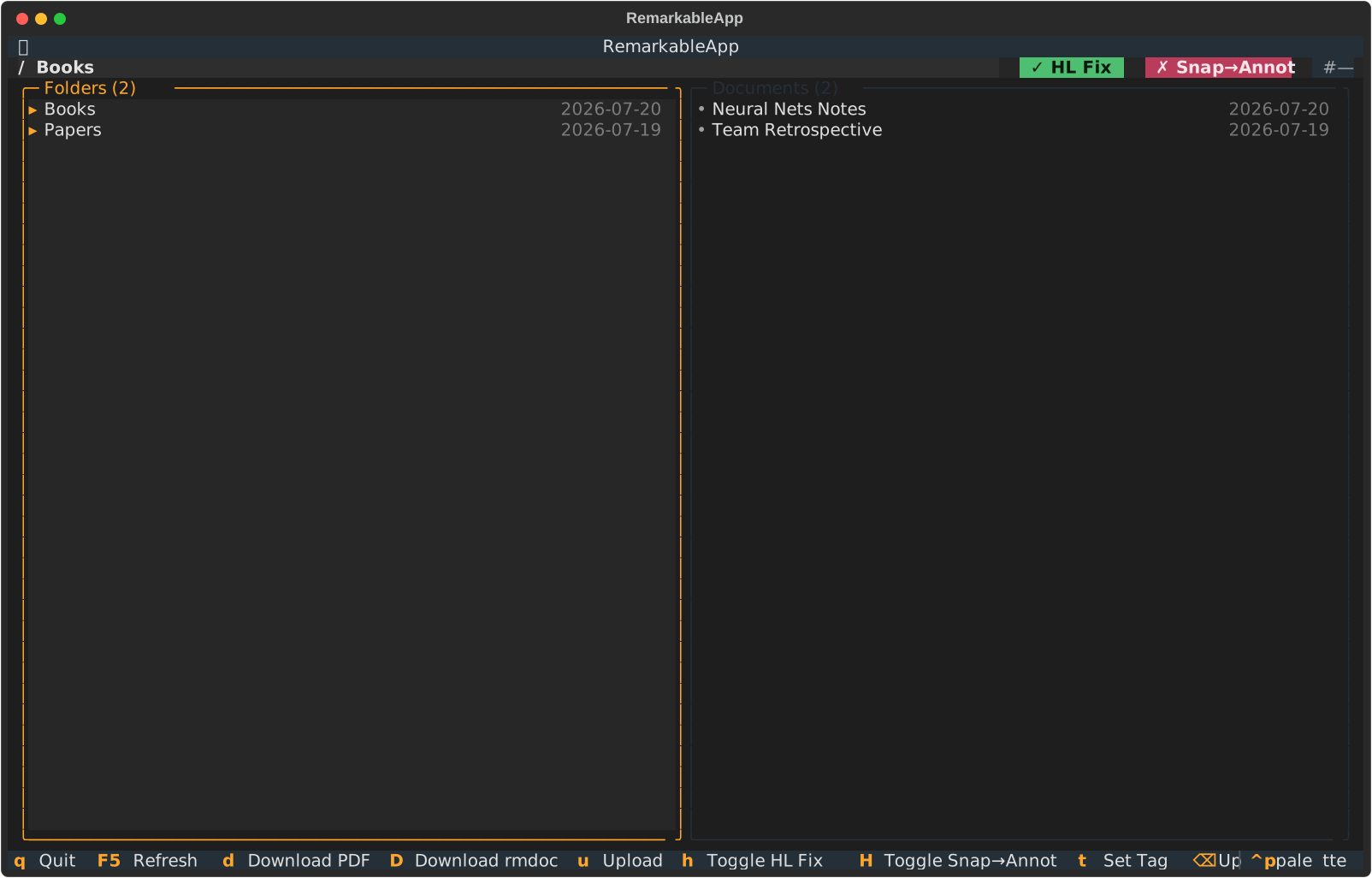
The two-pane interface is optimized for quick document work: folders on the left,
documents on the right, and status + toggles always visible above the list.
Start it with:
$ remarkable
Useful keys
Enter Open folder
d Download PDF
D Download rmdoc
u Upload file
h Toggle HL Fix
H Toggle snap annotations
/ Filter view
q Quit
Use remarkable
Connect the tablet to your computer with a USB-C cable.
On the tablet, go to Settings -> General -> Storage -> “USB web interface”
and turn it on. The option only appears when a USB cable is connected.
Once that is on, remarkable can talk to the tablet directly over the USB web
interface.
Install it with either pure pip in a project environment or uv as a standalone tool.
# Pure pip in a project environment$ python -m pip install remarkable-tools
# uv as a standalone tool$ uv tool install remarkable-tools
After installing, use remarkable to browse the tablet, pull down the newest
document, or upload a PDF without leaving the terminal. Downloaded PDFs keep
highlight fixing enabled unless you explicitly turn it off.
See the highlight cleanup
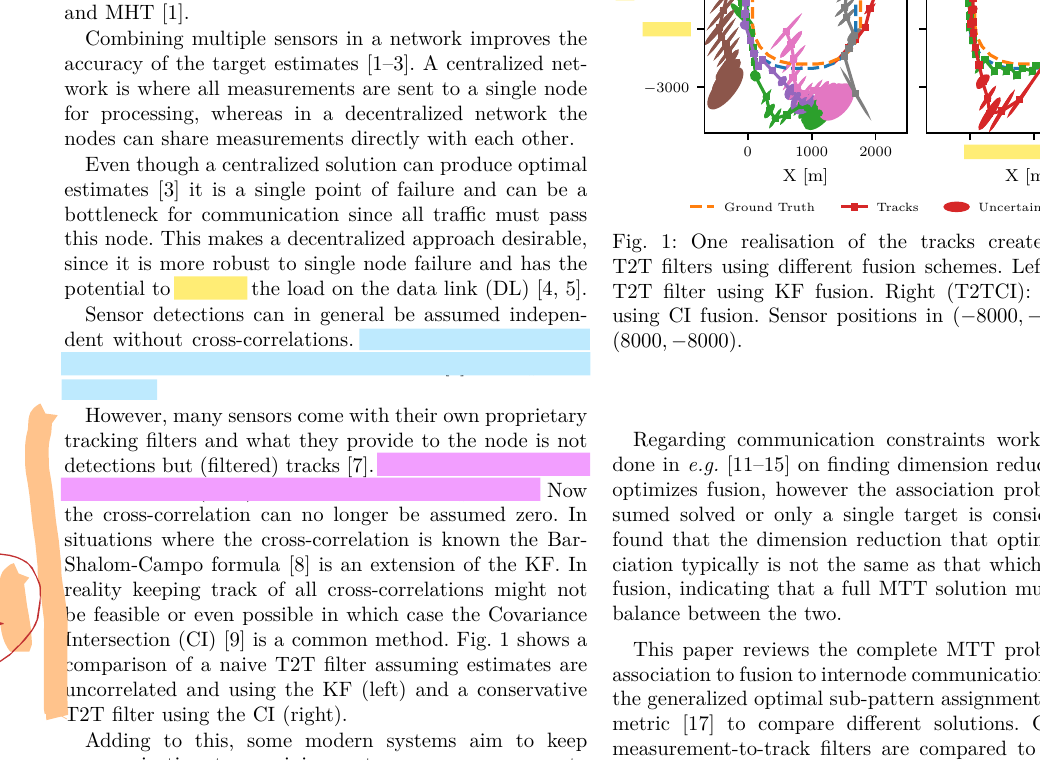
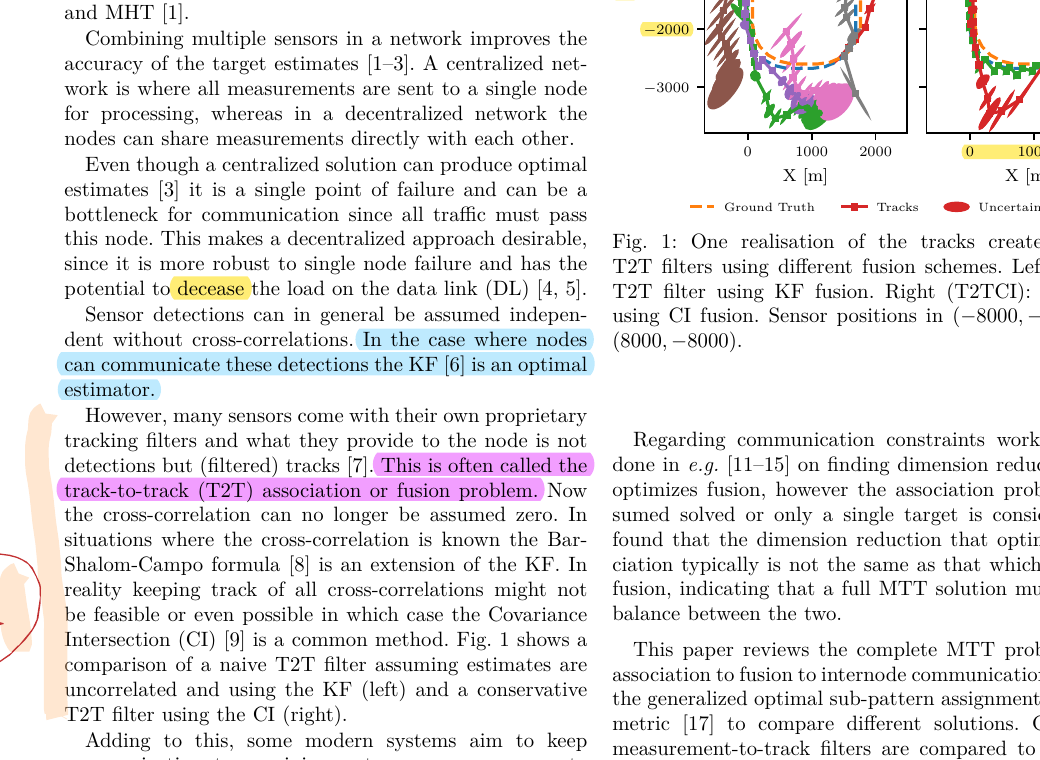
The fix reduces opaque export blocks into readable highlights, and snapped lines can become
native PDF highlight annotations instead of raw filled rectangles.
Before
After
Actual sample crop from the project test document before and after running
remarkable-hlfix.
New: turn reMarkable tags into PDF bookmarks
Exported PDFs can now carry your page tags as bookmark entries, so tagged pages are easy to jump to in any standard PDF reader.
When annotation bookmarks are enabled, every page with reMarkable material is automatically collected under an Annotations tag.
Without tag bookmarks
Flat PDF navigation
Tagged pages are hard to find later
No machine-readable tag export beside the file
With tag bookmarks enabled
Tags appear as PDF bookmarks on download
Jump to tagged pages in seconds
Optional *.tags.json tag report for automation when needed
Enable it once in config and keep your normal workflow:
[general]pdf_tag_bookmarks=true
Need a JSON tag report for a run? Add --tag-json-report.
Install
Download from tablet
Highlights cleaned automatically
Open anywhere
What it gives you
Interactive terminal browsing for reMarkable documents
One-shot download and upload commands for automation
Highlight transparency fixes for exported PDFs
Optional conversion of snap-to-text highlights into real PDF annotations
Built for simple workflows
The project is lightweight by design: install it, point it at your tablet, and use it
from a shell script or interactive terminal session.
Free to use. Licensed under the MIT License. Currently distributed as binaries/packages only.